1.9 KiB
1.9 KiB
Deploying slam-mirrorbot on Heroku with Github Workflows.
Pre-requisites
- token.pickle
- Heroku accounts
- Recommended to use 1 App in 1 Heroku accounts
- Don't use bin/fake credits card, because your Heroku account will banned
Deployment
-
Give stars and Fork this repo then upload token.pickle to your forks, or you can upload your token.pickle to your Index and put your token.pickle link to TOKEN_PICKLE_URL (NOTE: If you didn't upload token.pickle uploading will not work).
-
Go to Repository
Settings->Secrets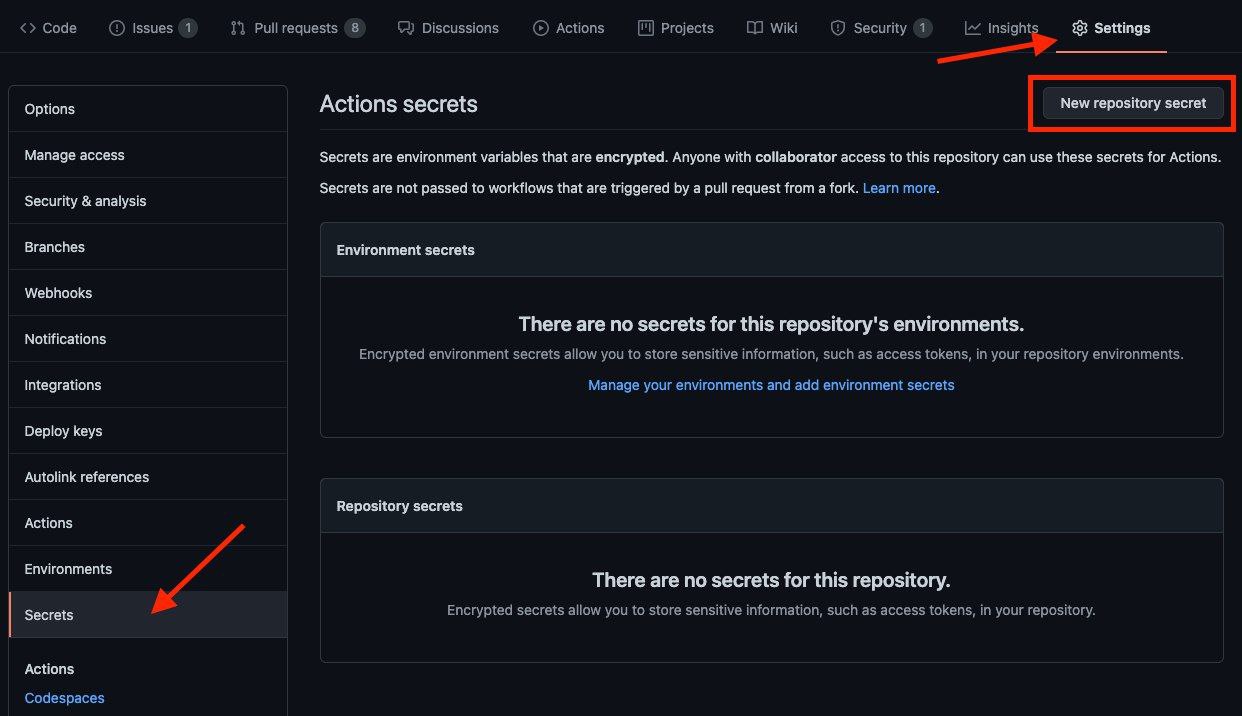
-
Add the below Required Variables one by one by clicking
New Repository Secreteverytime.HEROKU_EMAILHeroku Account email Id in which the above app will be deployedHEROKU_API_KEYYour Heroku API key, get it from https://dashboard.heroku.com/accountHEROKU_APP_NAMEYour Heroku app name, Name Must be uniqueCONFIG_FILE_URLYou must upload yourconfig.envto https://gist.github.com, Check the steps here:
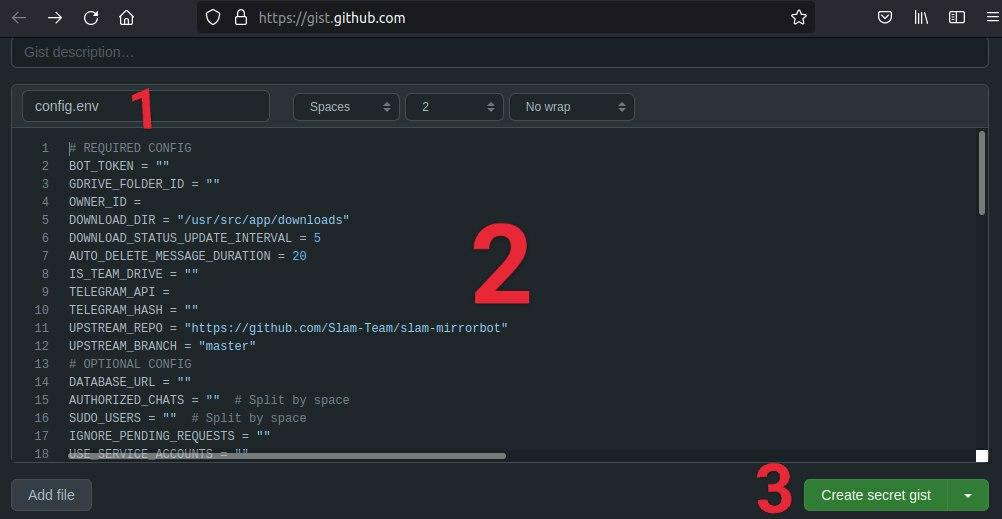
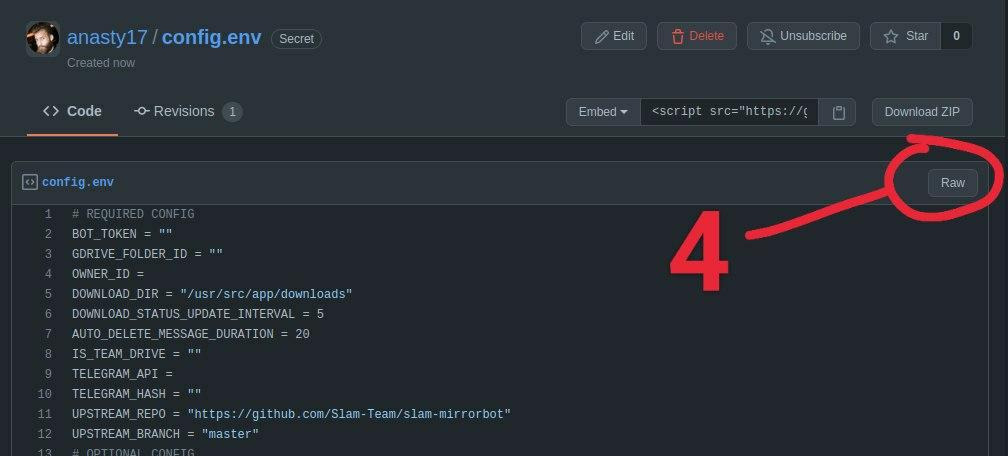
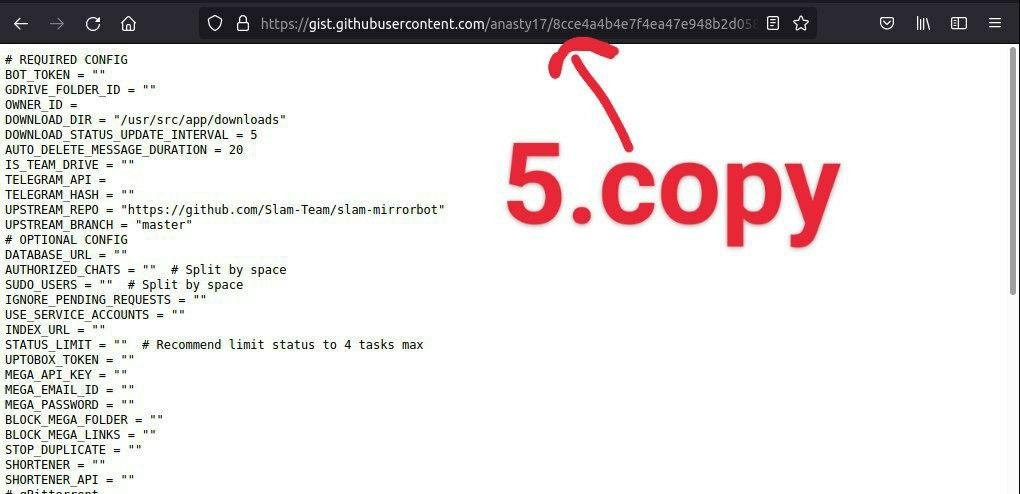
-
After adding all the above Required Variables go to Github Actions tab in your repo
-
Select
Manually Deploy to herokuworkflow as shown below: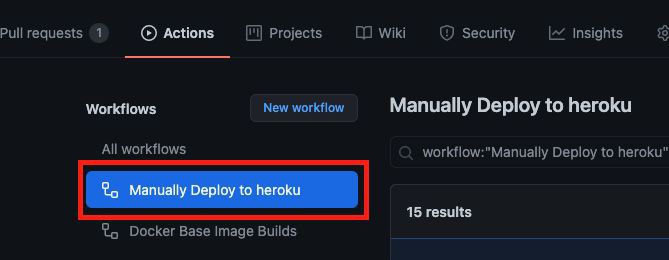
-
Then click on Run workflow
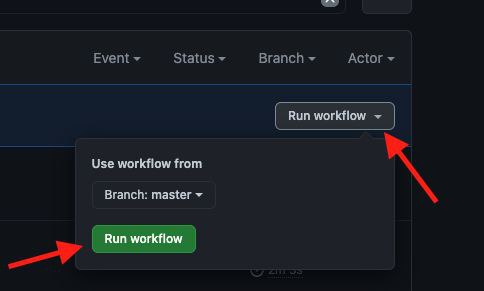
-
Done! your bot will be deployed now.
NOTE
- Don't change/edit variables from Heroku if you want to change/edit do it from
config.env
Credits
- arghyac35 for Tutorial